
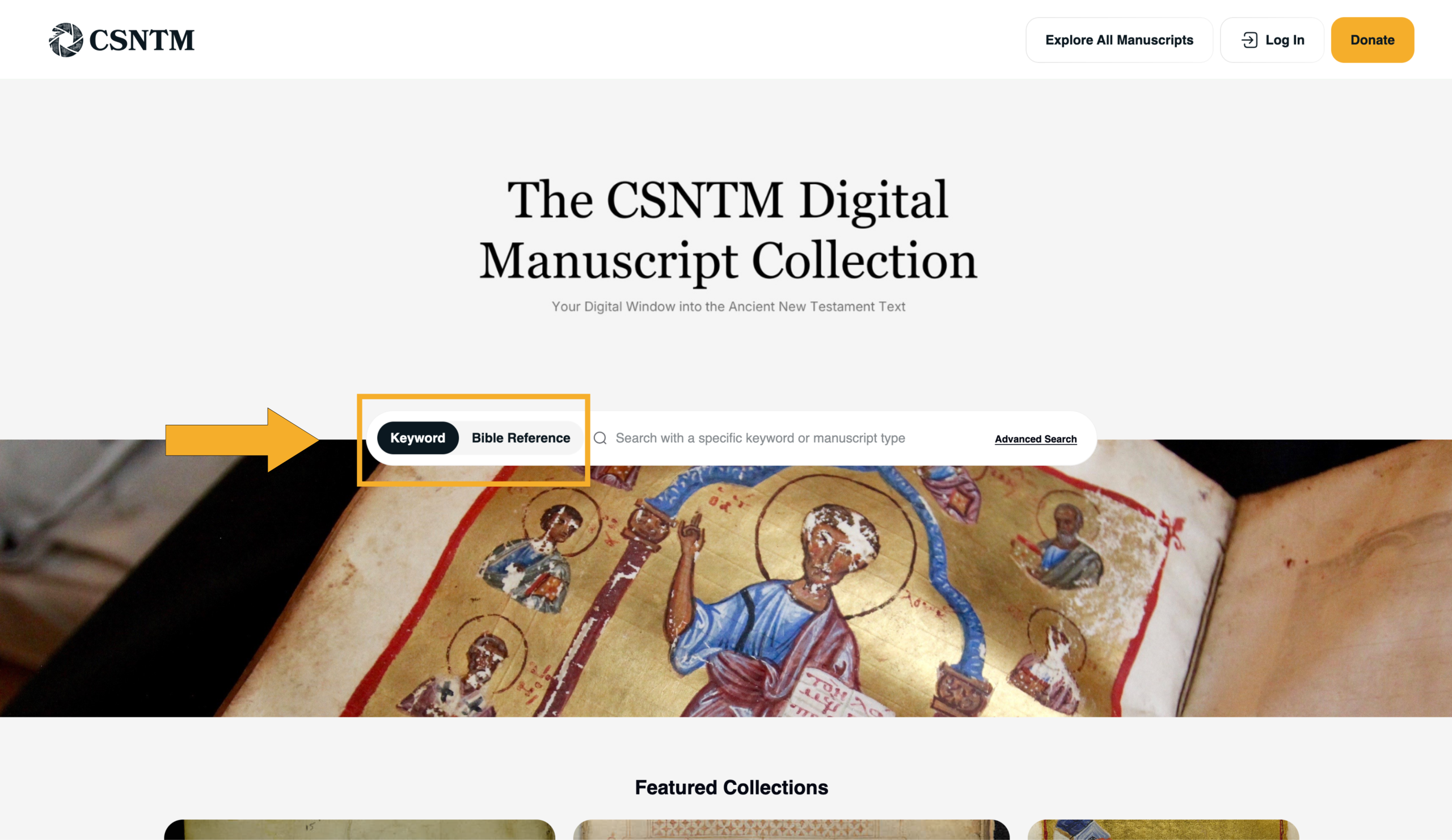
The new CSNTM Digital Manuscript Database is designed to help you quickly find, filter, and explore Greek New Testament manuscripts. Whether you’re searching for a specific manuscript or browsing by manuscript features, this guide will walk you through the different ways to search the database effectively.
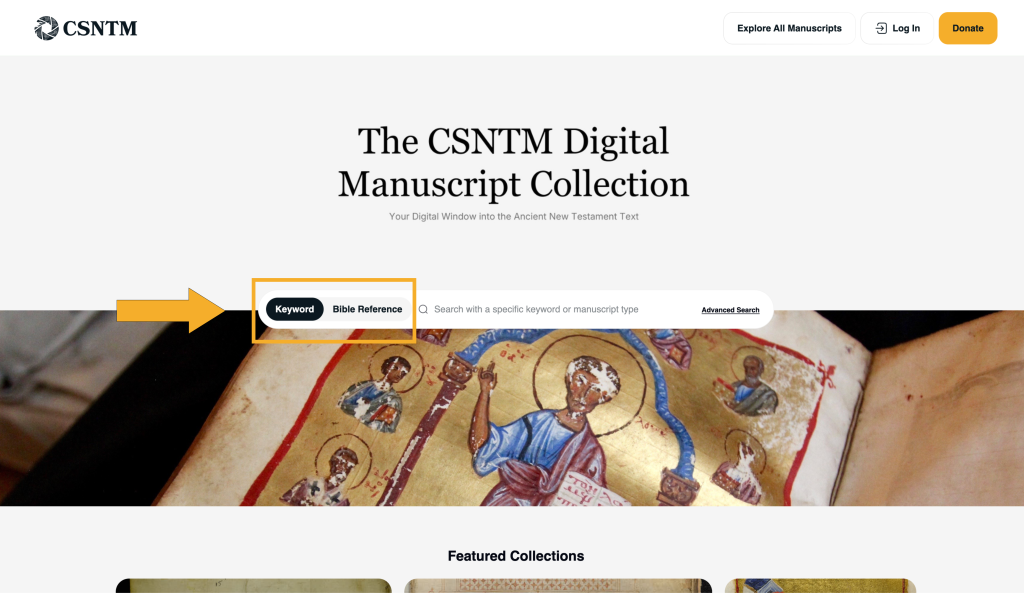
Choosing Your Search Type
To begin, decide how you would like to search:
- Keyword Search – Ideal for searching by manuscript numbers, names, or features.
- Bible Reference Search – Best for searching manuscripts containing a specific passage of Scripture.
Use the toggle on the left-hand side of the search menu to switch between keyword and biblical reference search before entering your query.
Running a Basic Search
- Select your preferred search type (keyword or biblical reference).
- Click into the search bar and type your search term.
- Press enter to view results.
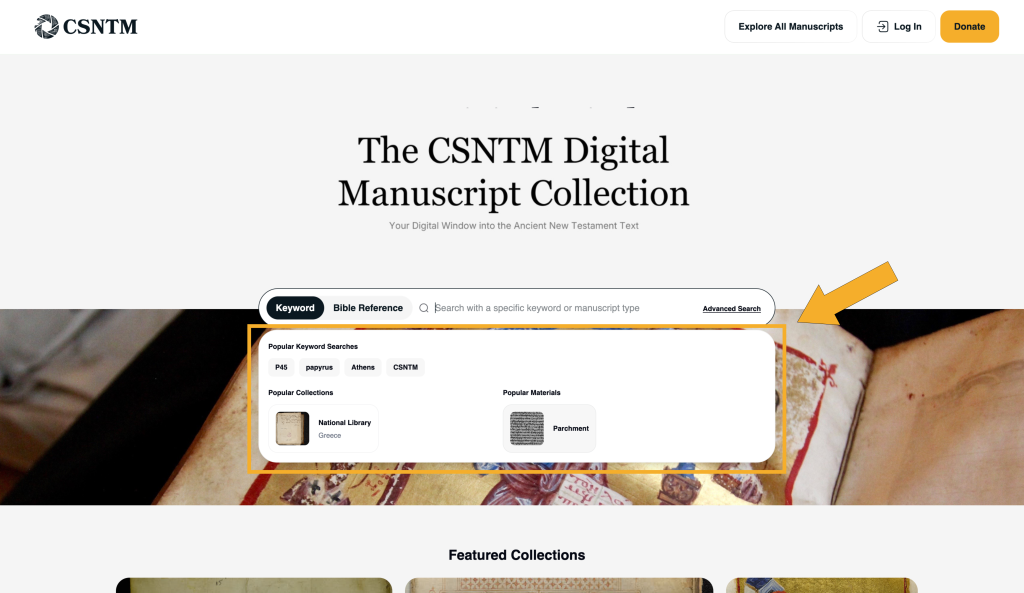
If you’re not sure where to begin, simply click inside the search field. A dropdown menu will appear with suggested searches to help you get started.
Using Advanced Search Filters
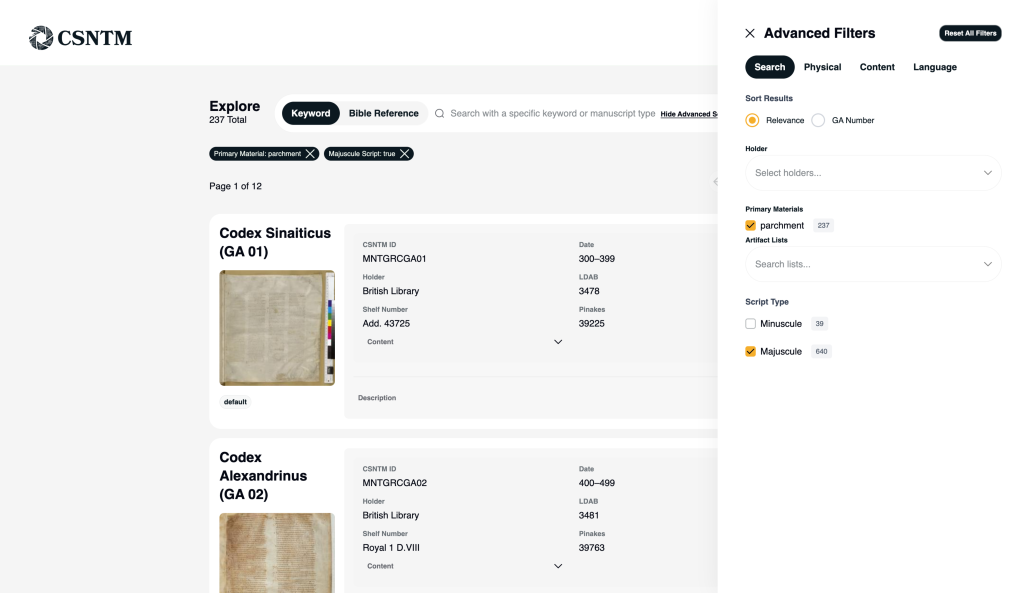
If you’re looking for a particular manuscript or want to narrow results by specific characteristics, Advanced Search gives you helpful filtering tools.
- Click Advanced Search on the right side of the search bar.
- You’ll be taken to the main index page, where filtering options will automatically open.
- Filter manuscripts by details such as:
- Holding institution
- Material
- Content
- Language
- Custom manuscript lists created by you or shared publicly by other users. (Learn more.)
As you select filters, the manuscript index will update automatically to show results that match your criteria.
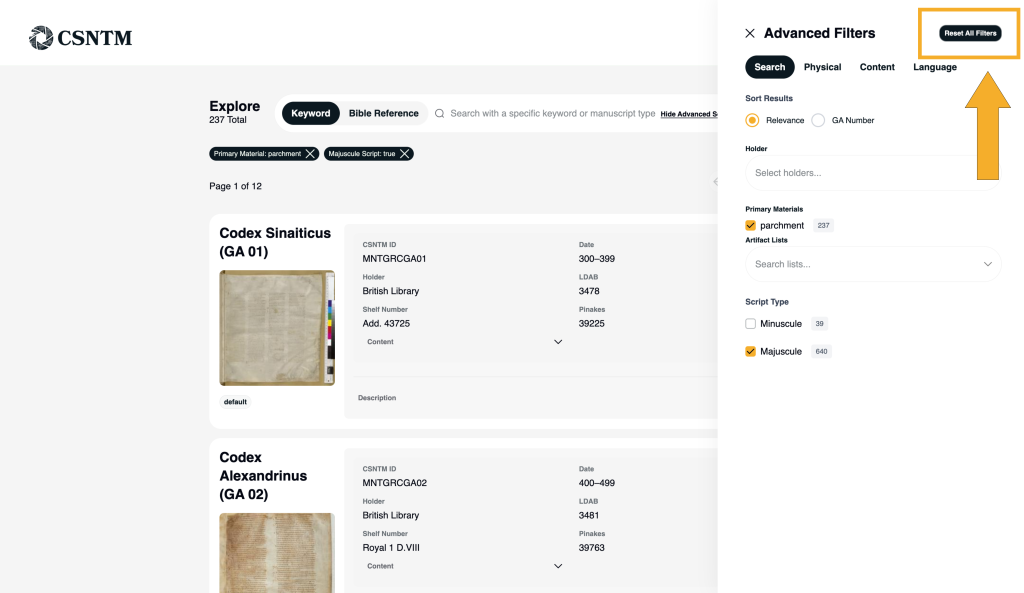
Clearing or Resetting Your Search
At any point, you can reset your search to start fresh:
- Click Reset All Filters in the top-right corner of the advanced filters menu, or
- Select Clear All directly on the index page.
This allows you to quickly adjust your approach without needing to reload the page.
What to Do Next
Once you’ve found manuscripts of interest, you can:
- Switch to Interactive View to visually scan and compare manuscripts
- Save manuscripts to a custom list
Searching is the foundation of the CSNTM database experience. With flexible search options and robust filters, you can move from broad exploration to focused research in just a few clicks.
As we continue developing the platform, we plan to further enhance search capabilities, expand filtering options, and refine user features to better meet the needs of modern scholarship. Our goal is to create an increasingly seamless experience—one that supports both detailed academic research and accessible exploration.
In the next tutorial, you’ll learn how to read and understand a manuscript record and interpret the information provided on each detail page.