

When you open a manuscript in the CSNTM Digital Manuscript Database, you’re viewing more than images. You’re witnessing the oldest copies of the New Testament nearly firsthand, and we want to show you how to make the most of that experience.
This tutorial explains how to read a manuscript detail page, what each section means, and how to use the information provided to guide your work, study, and exploration.

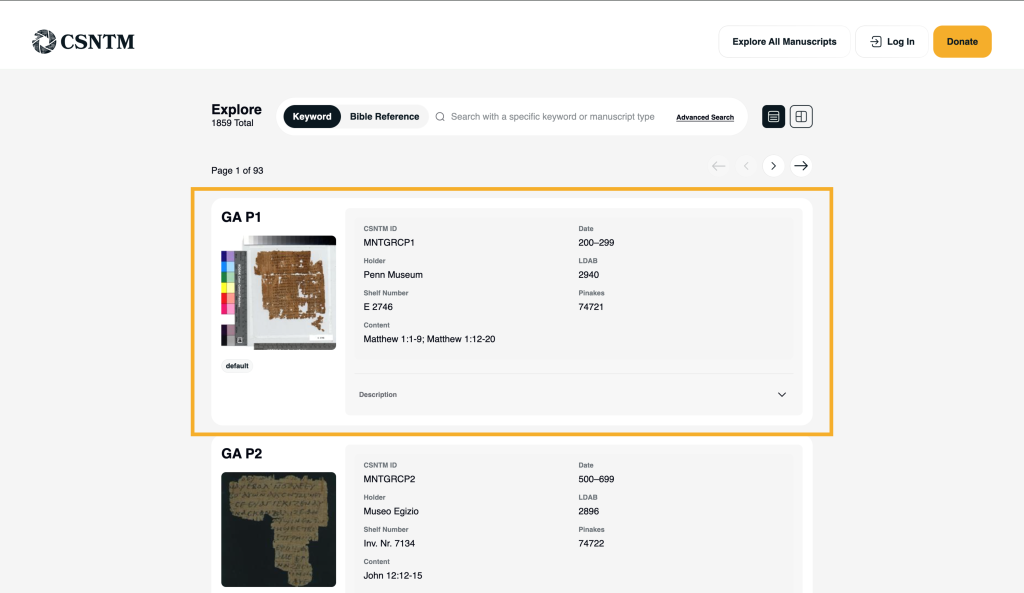
Opening a Manuscript Record
You can access a manuscript record from several places in the database:
- Clicking a manuscript card from search results
- Selecting a manuscript from one of your saved lists
- Browsing via Explore All Manuscripts
Clicking the manuscript title or card opens the full detail page.
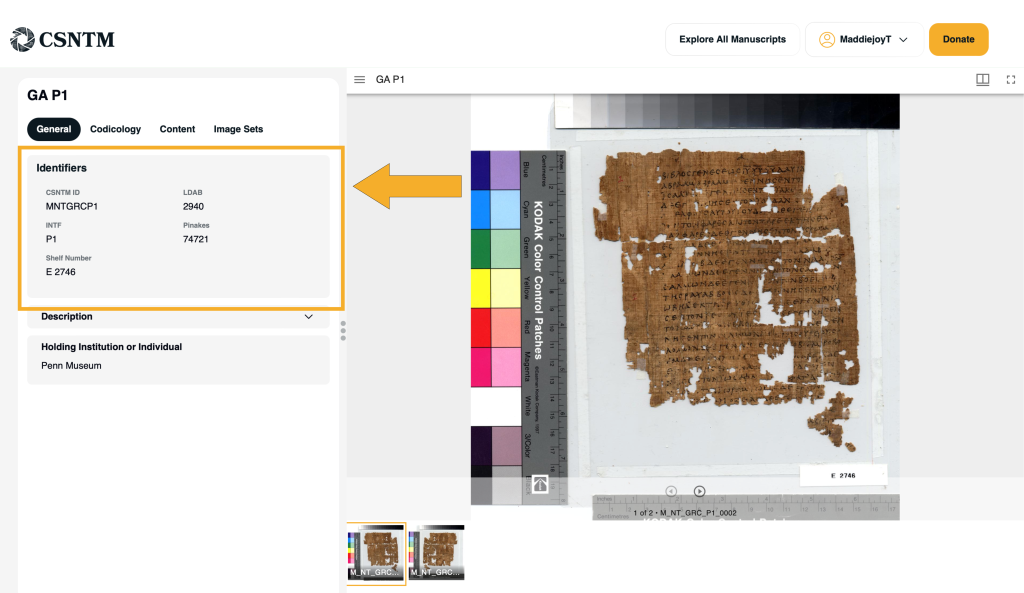
Manuscript Identification
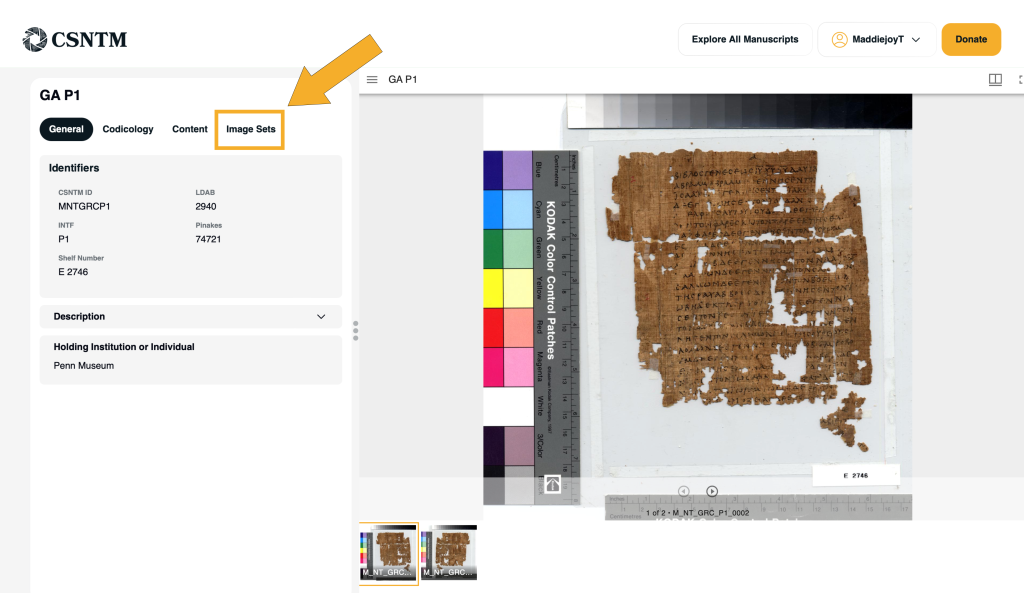
At the top of the manuscript record, you’ll find the manuscript’s primary identifying information. This includes:
- Pinakes.
- Gregory–Aland number (GA) listed under INTF (if applicable)
- CSNTM ID
- LDAB Identification
- Shelf Number
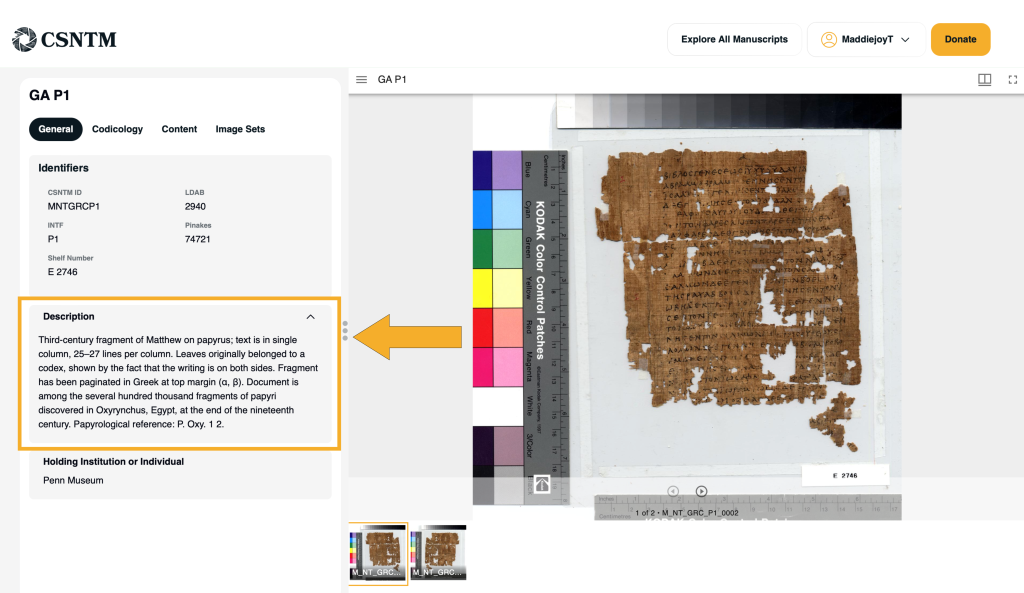
Description
Beneath the Identifiers card, you will see a tab labeled Description. Clicking this tab opens a dropdown with a brief description of the manuscript, when available.
Each description presents basic information on the manuscripts, and at times, will include notable facts about its history, provenance, or features.
Note: Volunteers play an instrumental role in expanding the manuscript descriptions in our database. If you’re interested in contributing to this effort, please let us know through the Feedback form in the footer of the Collection.csntm.org.
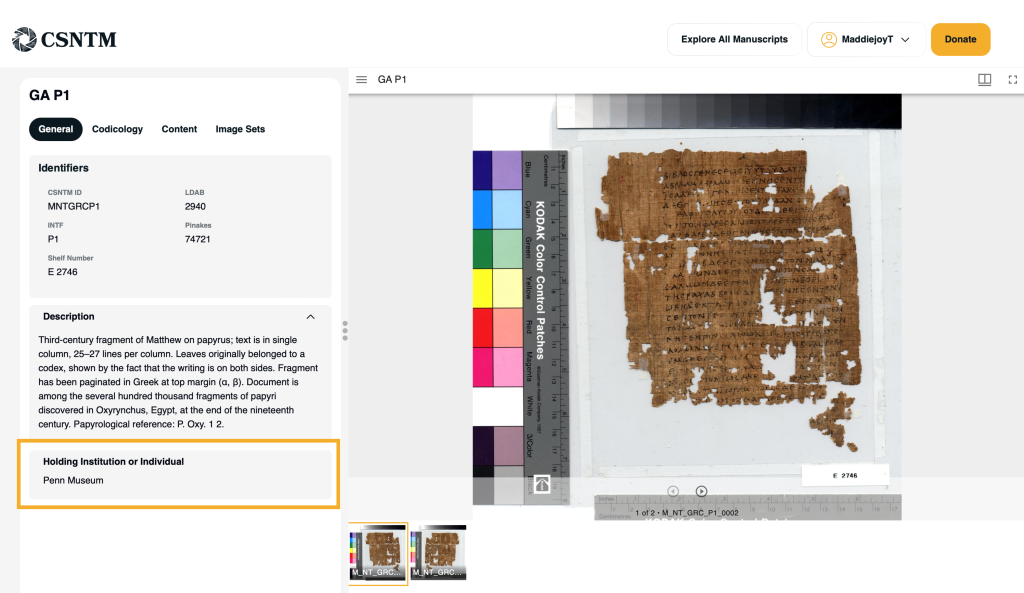
Holding Institution
Each manuscript record identifies the holding institution: the library, monastery, or collection where the physical manuscript is preserved.
Why this matters:
- Provides institutional context for the manuscript’s history
- Confirms provenance and current location
- Helps researchers connect CSNTM images with other catalog records
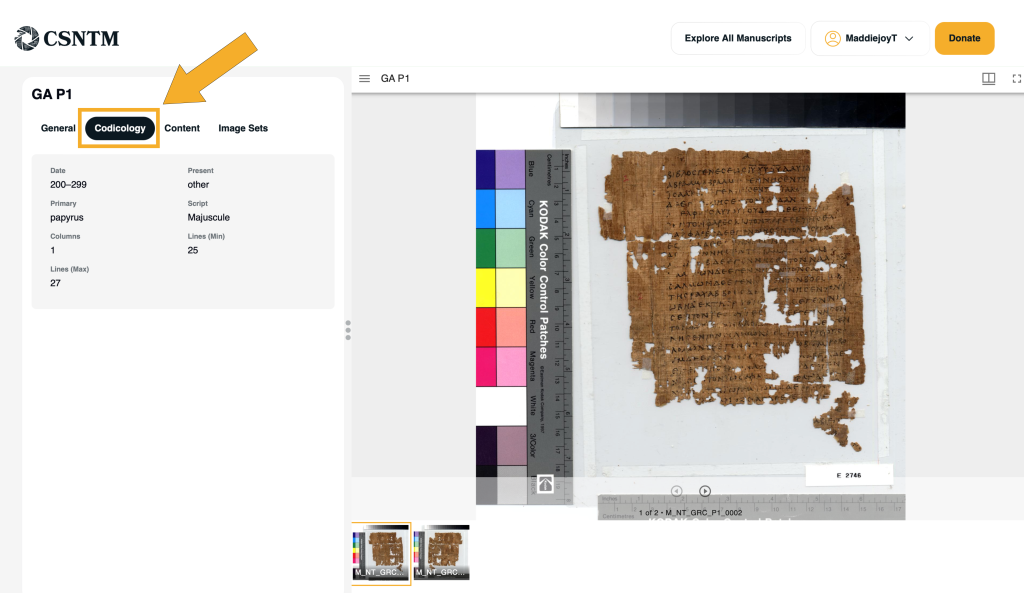
Codicology
The manuscript record includes details about the manuscript’s physical characteristics, such as:
- Date
- Material (e.g., parchment, paper)
- Script (e.g. Majuscule, Minuscule)
- Format when available
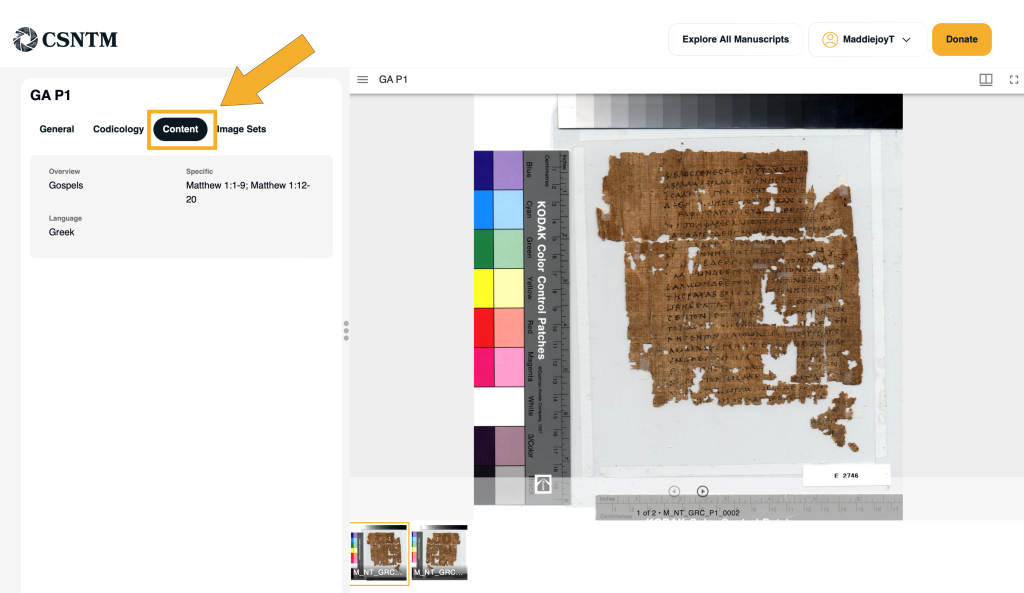
Content Information
The Content field indicates which portions of the New Testament are preserved in the manuscript and the primary language of the document.
This information is particularly helpful when working with fragmentary or partial manuscripts.
Images and Viewing Options
Manuscript records include high-resolution images produced or acquired by CSNTM. When available, different image sets can viewed (e.g. microfilm, low-resolution, high-resolution, Multi-Spectral Imaging)
From the manuscript detail page, you can:
- Enter full-screen mode for detailed visual study
- Scroll through available images
- Open images in Interactive View for faster comparison
What to Do Next
Once you’re comfortable reading manuscript details, try:
- Comparing details of multiple manuscripts covering the same passage
- Saving related manuscripts to a custom list
- Studying images in Interactive View for visual comparison
In the next tutorial, we’ll explore how to navigate and study manuscript images more closely within the CSNTM database.